sticks iPhone & Android · 60+ countries
AI cricket coaching · iPhone & Android

Real coaching you hear,

not a dashboard you read.

Prop your phone at the crease, take your swings, and Coach Sam talks you through every shot — out loud, between balls. The rhythm of a real net, with a coach who never gets tired.

Download on the App Store Get it on Google Play
Free while in beta iPhone & Android Your video never leaves your phone
QR code — scan to get Sticks; it detects iPhone or Android and opens the right store
Scan to install
On a laptop? Scan with your phone camera — it opens the right store, nothing to type.
S
Coach Sam
SHOT 4 · COVER DRIVE

“Nice intent — you went after that one. Watch your head, though: as you come forward it's drifting to the leg side, and that's pulling you across the line. Stay side-on, keep it still and right over your front foot, and play it late under your eyes — you'll be back into the V, middle of the bat. Same again: head steady, soft hands.”
Coaching you hear

This is the part a screenshot can't show you.

Every other analysis app hands you charts to read after practice. Sticks talks — Coach Sam's real voice, in the gaps between balls. Tap any line to hear him.

Real Coach Sam. The same voice that runs your net — calm, specific, one focus at a time.

How it works

Three things, then just bat.

01

Prop the phone

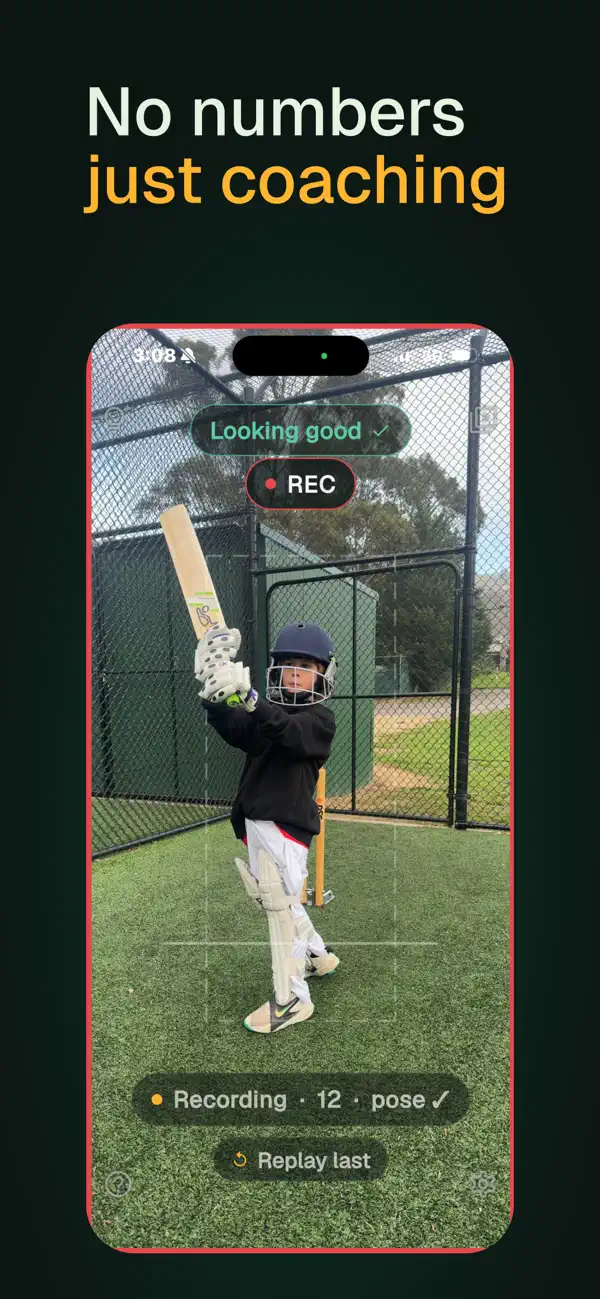
Waist height, a few steps back, side-on to your stance. The framing guide turns green when you're in shot — amber hints nudge you into place.

02

Swing after the tick

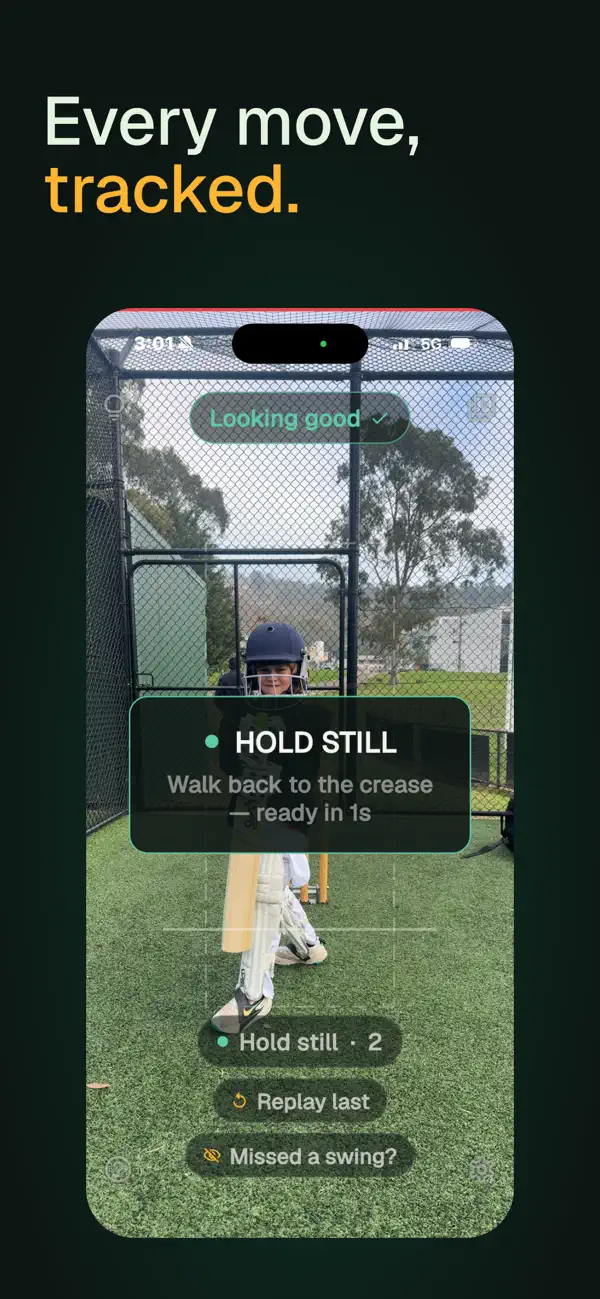
Hold still at the crease. The tick means READY — even while Sam is still talking about your last ball. Then swing away.

03

Hear Coach Sam

Seconds later he tells you: what was good, what to tighten up, what to try next ball. One focus at a time, like a real coach.

See it in the nets

Feedback that sounds like a person — and shows you why.

Prop it. Bat. Listen. — the live capture screen, READY tick and REC, at a real net
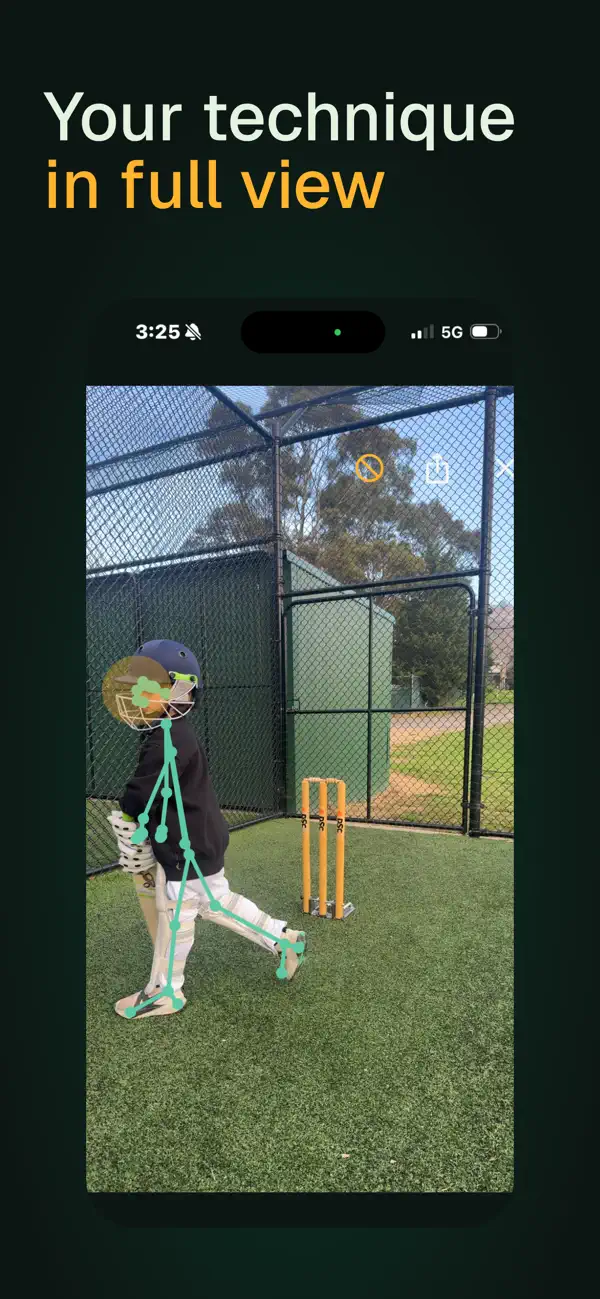
See what Sam heard — a coached shot replayed in slow motion with the pose skeleton and the transcript
It learns your game — Pointers: what keeps coming up across your last hundred shots, in the coach's words

Straight from the app. Every session coached — free while Sticks is in beta.

Why Sticks

A coach who talks to you, not a chart you squint at.

A voice, not a chart

Most training apps hand you graphs to squint at after practice. Sticks coaches during practice — spoken feedback in the gap between deliveries, when you can actually use it. Head, stride, backlift, follow-through. No numbers, no jargon.

Keeps up with the net

Sticks re-arms while Sam is still talking. Swing mid-sentence and he stops for the ball — like any coach worth listening to. No menus between deliveries, no stopping to touch the phone.

Nothing to set up

No tripod, no account, no pairing. Prop the phone on a bag or a fence at waist height and it does the talking between balls — you just bat.

For the whole family net

Adults and juniors, side-on or front-on, backyard or club nets. No accounts, no ads, no leaderboards — your practice is yours.

Privacy, plainly

Your net stays your net.

  • Your video never leaves your phone — analysis is on-device.
  • No audio is ever recorded. No face recognition. No tracking.
  • Clips auto-delete after 14 days. No account needed.

Read the full privacy policy →

Good to know

Questions, answered.

What do I need to use it?

An iPhone or Android phone — Coach Sam speaks from it between balls, nothing to pair. No special tripod: a bag, a fence or a chair at waist height is plenty.

Does it work indoors and at the nets?

Both. Side-on or front-on, indoor practice or outdoor nets, adult or junior batters. Sticks reads your body, not the surroundings.

Is my video really private?

Yes. The pose analysis runs entirely on your phone — nothing is uploaded, and clips auto-delete after 14 days. Only anonymous pose data generates the coaching; there is no face recognition.

How much does it cost?

Nothing, while Sticks is in beta. Every session is fully coached on both iPhone and Android — no card, no account.

Who are the coaches — and is there Hindi coaching?

Three voices: Coach Sam (the default), Coach Macca (Australian) and Coach Vikram — who coaches in Indian English or in Hindi, the way cricket is actually spoken at Indian nets. The app's interface is available in English and Hindi too. Meet the coaches.

I'm on a laptop — how do I get it?

Scan the QR code on this page with your phone's camera — it opens the right store for your phone — or search “Sticks AI Cricket Coach” in the App Store or Google Play.

Where can I get it?

On the App Store for iPhone and on Google Play for Android — in 60+ countries, including Australia, New Zealand, the United Kingdom, Ireland, the United States, Canada, India and South Africa.

Coached nets, anywhere

Prop your phone.
Take your stance. Listen.

Your next net could be a coached one.

QR code — scan to get Sticks; it detects iPhone or Android and opens the right store
iPhone · Android
On a laptop? Scan with your phone camera to install.
Sticks · AI Cricket Coach
Free while in beta
Get